Jan 24, 2022 -- Core UI Widgets
Outline
- UI Widgets
- Process of Creating an App
- UI Widget Button as IBAction
- UI Widget Button as IBOutlet
- UI Control CheckBox
- Checkbox Sync with Switch
- UI Control Slider (SeekBar)
- Seekbar Callback
UI Widgets
- Andrioid GUI Widgets -- similar to all GUI from Mac Lisa
- Widgets
- Text -- TextView(label), EditText (textfield); Password etc., ...
- Button -- Button, FAB, Checkbox, Switch, Seekbar(slider), Radio; Chip, Toggle, ...
- List -- RecyclerView, Spinner, Toolbar, Tab, Menu, ...
- View -- ImageView, WebView, VideoView, CalendarView, ProgressBar, ...
- Container -- Scroll, ViewPager, Card, Navigation, Fragment,
- Layout -- Constraint, Linear, Frame, Table
- Legacy -- TabHost, ListView, GridView, RelelativeLayout, GridLayout
- There are large amount on line resources -- pick them wisely
- Likely demand (investment) driven
- Keep as 'codebase' for future references
Process of Creating an App
- How to Learn #2 -- block a time
- Process of Creating an App
- Identify the challenge
- Create checklist of technique difficulities
- Create toy apps to complete unsolved difficulities
- With the help of toy apps, codebase, tutorials, etc.
- One at a time, keep intermediate versions
UI Widget Button as IBAction
UI Widget Button as IBOutlet
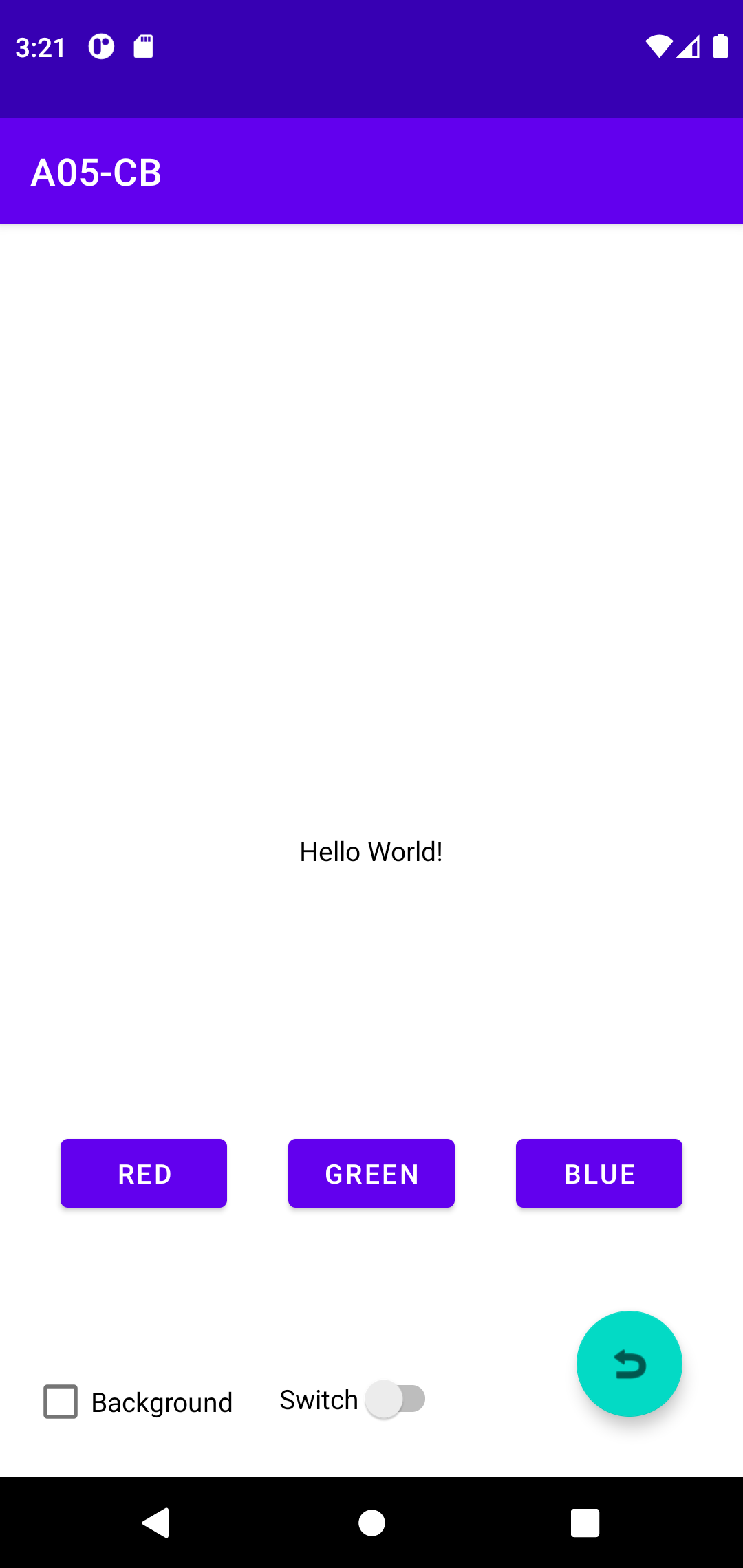
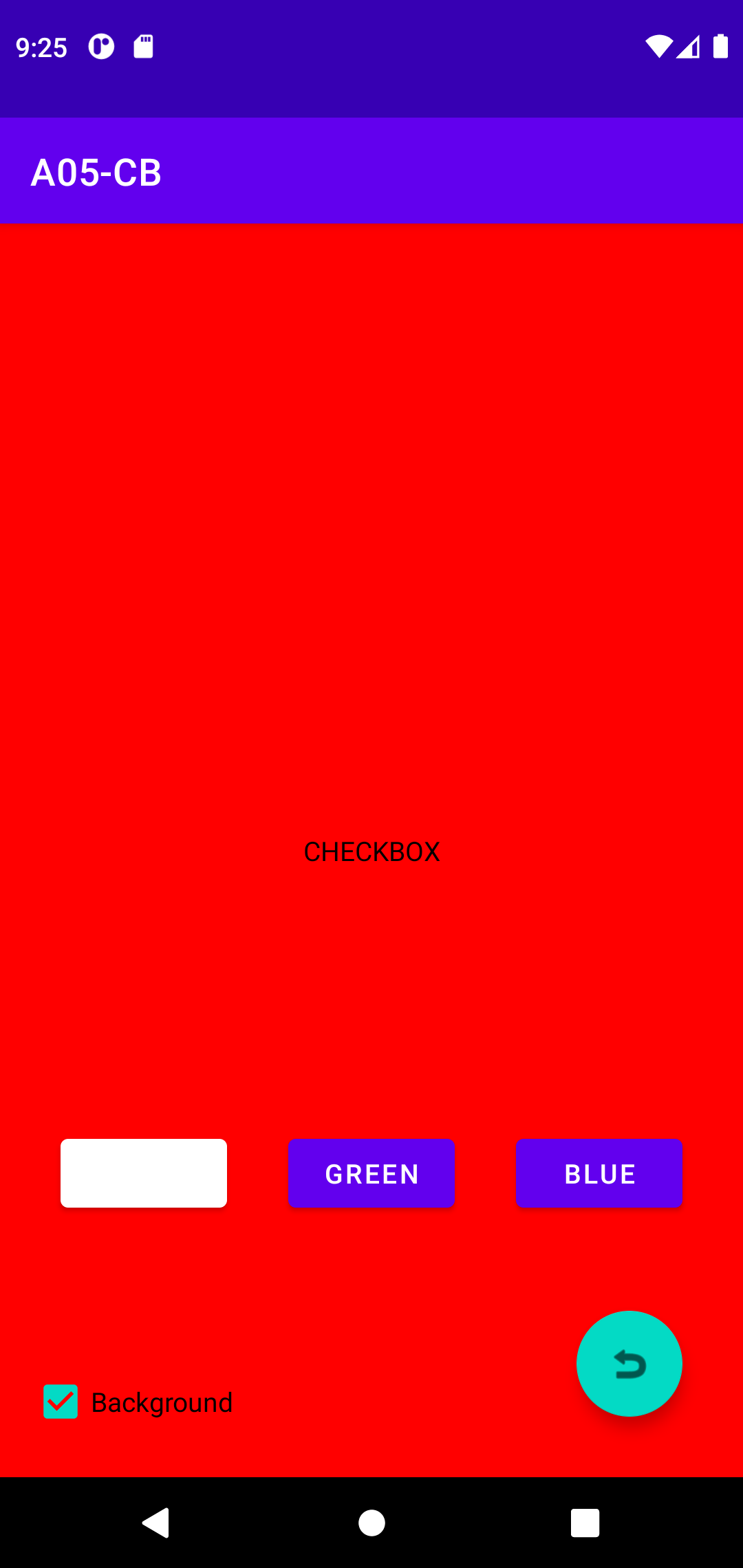
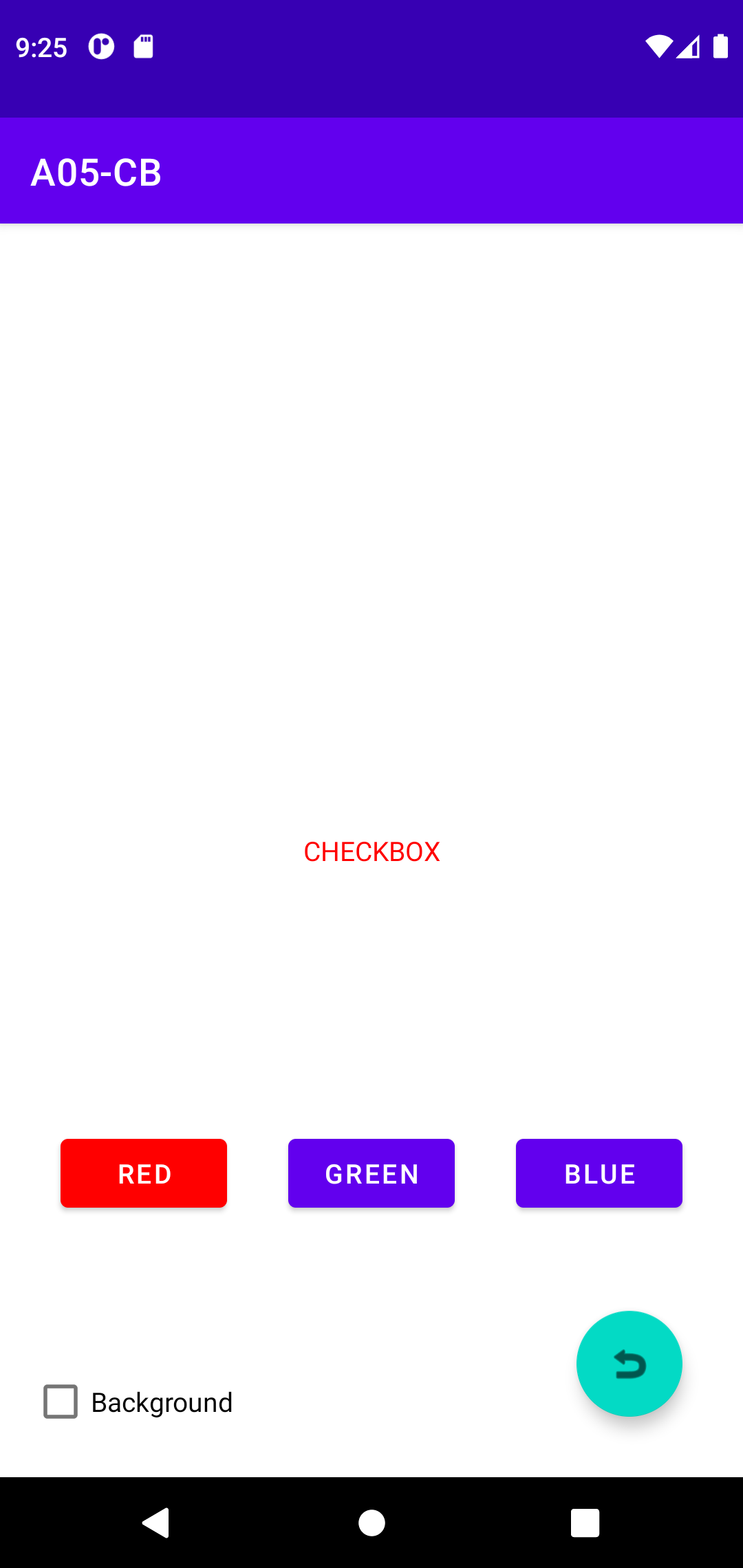
- A05-CB-ver02
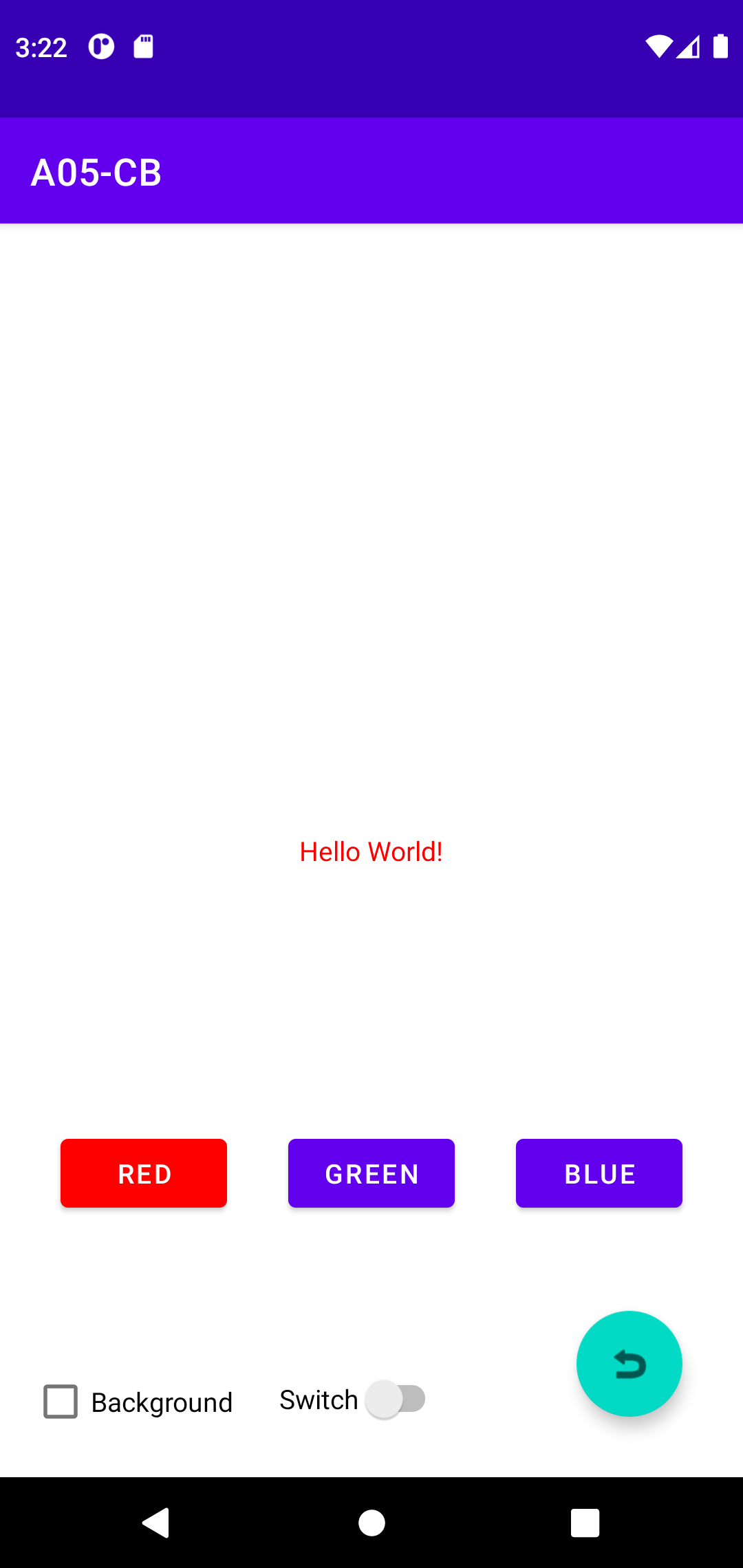
- RED button changes TextView's background
- GREEN button changes itslef background
- BLUE button changes View's background
- Recall How to Learn #1 -- identify proper tutorial
- Change background after button press -- google "android set background color programmatically"
- API is the key, have to build up the knowledge yourself during time, save as 'codebase'
setTextColor(Color.RED); // import android.Graphics.Color
setBackgroundColor(Color.GREEN);
@Override
    public void onClick(View v) {
        TextView textView = (TextView) findViewById(R.id.textView);

        if(v.getId() == R.id.redbutton) {
            //// HERE
            textView.setTextColor(Color.RED);
        }
        else if(v.getId() == R.id.greenbutton) {
            //// HERE
            v.setBackgroundColor(Color.GREEN);
            // greenbutton.setBackgroundColor(Color.GREEN);
        }
        else if(v.getId() == R.id.bluebutton) {
            //// HERE
            rootView.setBackgroundColor(Color.BLUE);
        }
    }
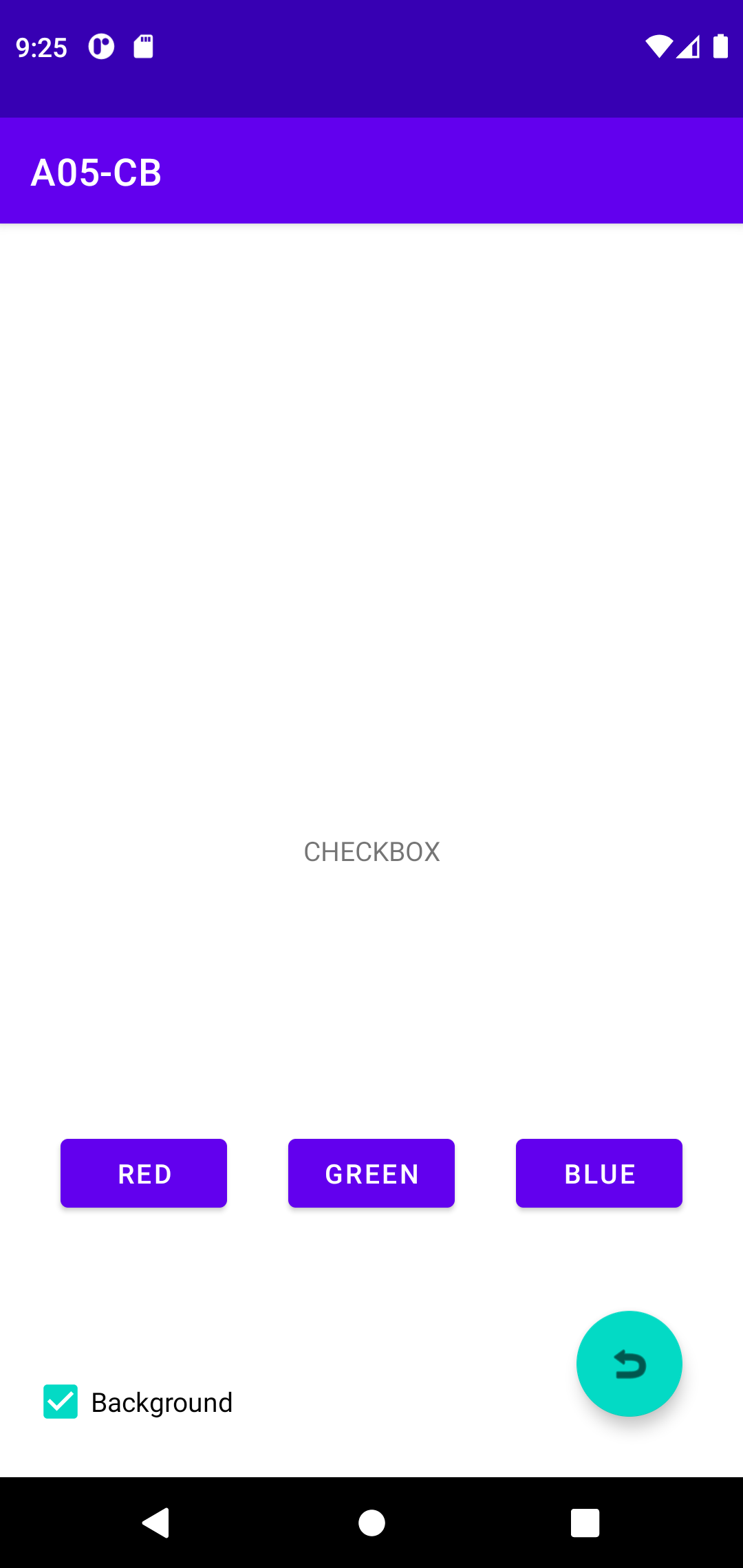
UI Control CheckBox
Checkbox Sync with Switch
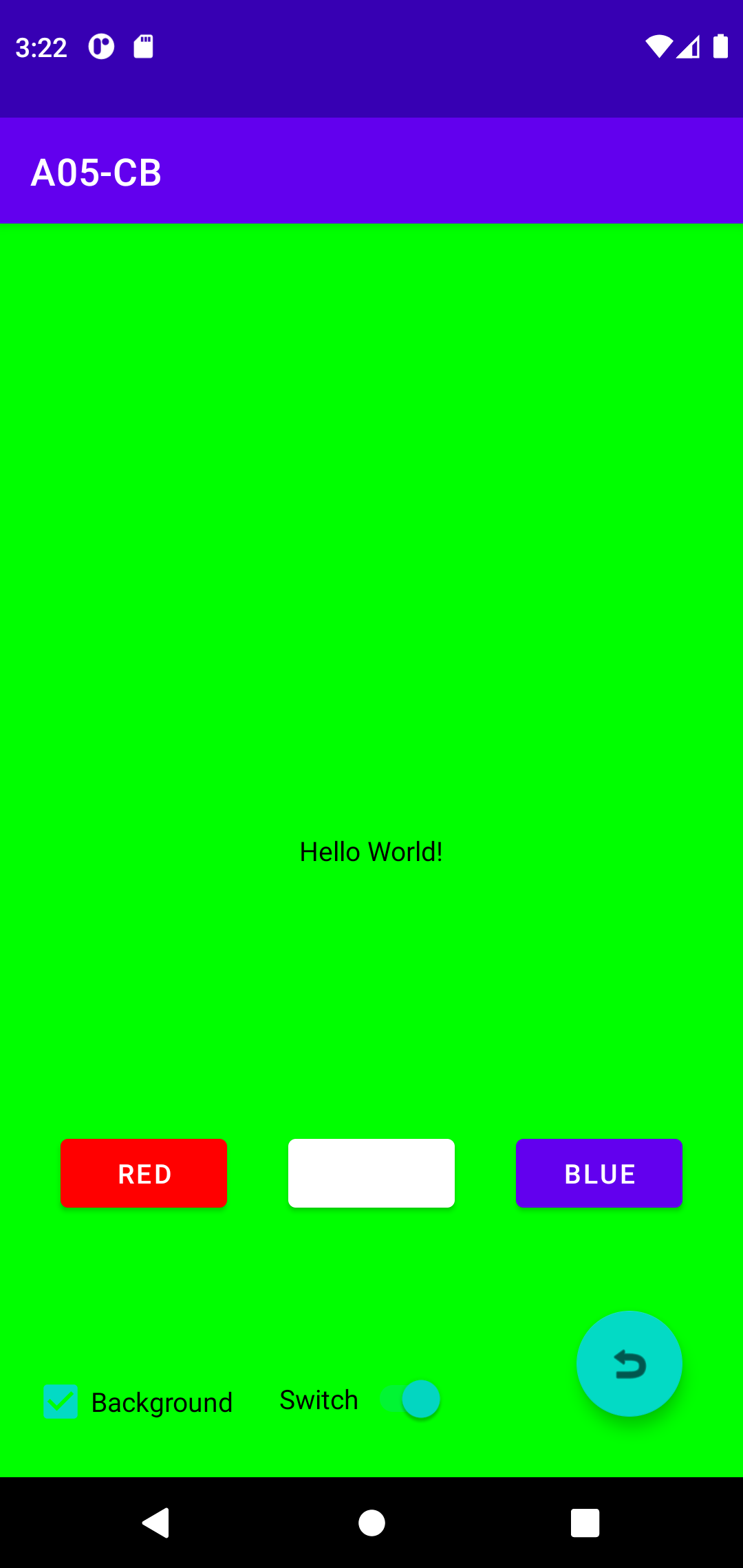
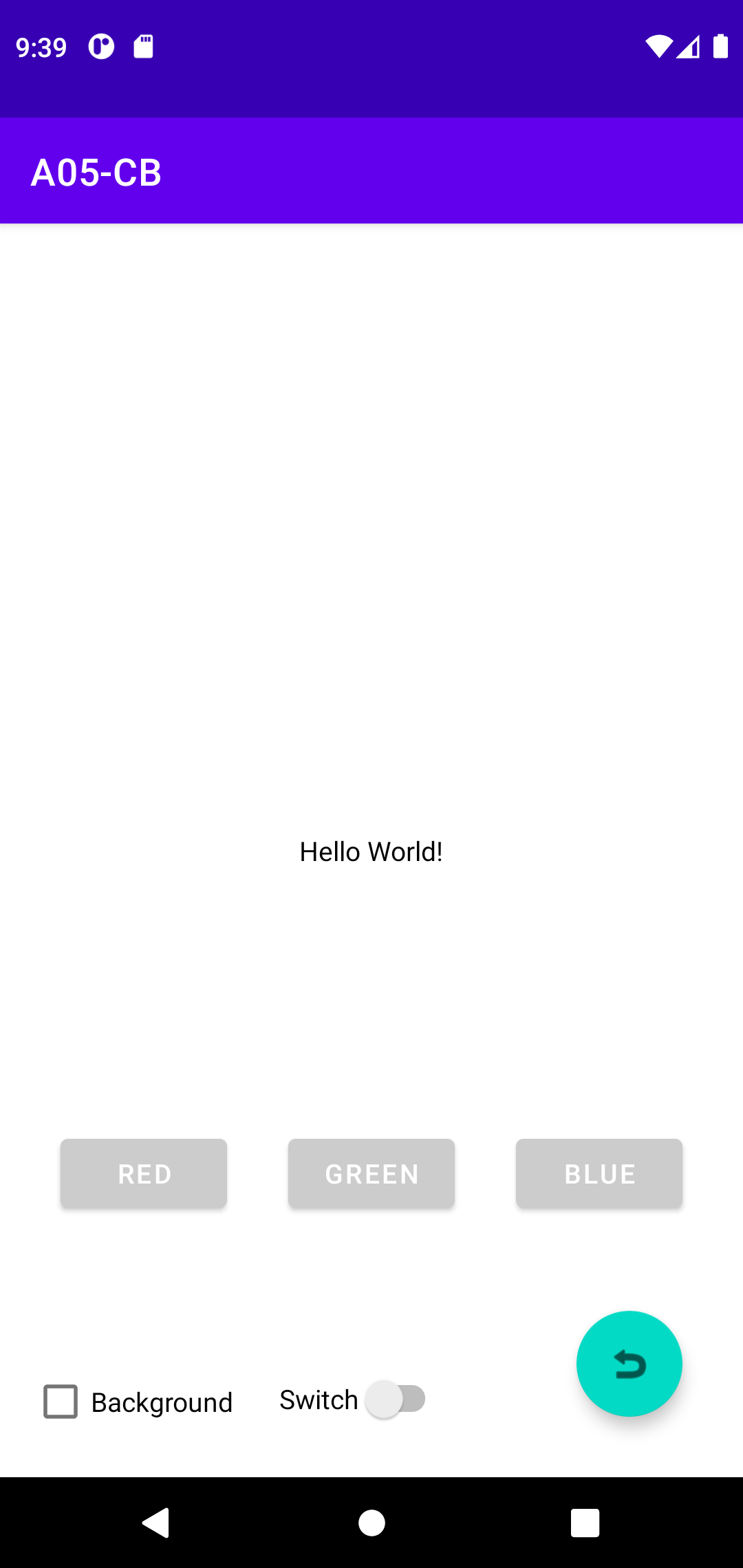
- A05-CB-ver04
- Switch right next to Checkbox
- Switch callback => sync with CheckBox
- Checkbox callback sync with Switch
- FAB reset
- Switch callback uses #3
    //// HERE
    Switch switch1;

        //// HERE
        switch1 = (Switch) findViewById(R.id.switch1);
        switch1.setOnClickListener(new View.OnClickListener() {
            @Override
            public void onClick(View view) {
                checkBox.setChecked(switch1.isChecked()); <<== A commonly used 'trick'
            }
        });

       FloatingActionButton fab = (FloatingActionButton) findViewById(R.id.floatingActionButton);
        fab.setOnClickListener(new View.OnClickListener() {
            @Override
            public void onClick(View view) {
                //// HERE
                rootView.setBackgroundColor(Color.WHITE);
                redbutton.setBackgroundColor(Color.LTGRAY);
                greenbutton.setBackgroundColor(Color.LTGRAY);
                bluebutton.setBackgroundColor(Color.LTGRAY);
                ((TextView) findViewById(R.id.textView)).setTextColor(Color.BLACK);
                ((CheckBox) findViewById(R.id.checkBox)).setChecked(false);
                ((Switch) findViewById(R.id.switch1)).setChecked(false);            }
        });

    //// HERE
    @Override
    public void onClick(View v) {
        TextView textView = (TextView) findViewById(R.id.textView);

        if(v.getId() == R.id.redbutton) {
            if(checkBox.isChecked()) {
                v.setBackgroundColor(Color.WHITE);
                rootView.setBackgroundColor(Color.RED);
                textView.setTextColor(Color.BLACK);
            }
            else {
                v.setBackgroundColor(Color.RED);
                rootView.setBackgroundColor(Color.WHITE);
                textView.setTextColor(Color.RED);
            }
        }
        else if(v.getId() == R.id.greenbutton) {
            if(checkBox.isChecked()) {
                v.setBackgroundColor(Color.WHITE);
                rootView.setBackgroundColor(Color.GREEN);
                textView.setTextColor(Color.BLACK);
            }
            else {
                v.setBackgroundColor(Color.GREEN);
                rootView.setBackgroundColor(Color.WHITE);
                textView.setTextColor(Color.GREEN);
            }
        }
        else if(v.getId() == R.id.bluebutton) {
            if(checkBox.isChecked()) {
                v.setBackgroundColor(Color.WHITE);
                rootView.setBackgroundColor(Color.BLUE);
                textView.setTextColor(Color.BLACK);
            }
            else {
                v.setBackgroundColor(Color.BLUE);
                rootView.setBackgroundColor(Color.WHITE);
                textView.setTextColor(Color.BLUE);
            }
        }
        else if(v.getId() == R.id.checkBox) {
            switch1.setChecked(checkBox.isChecked());
        }
    }
- Almost, but 2 issues
- FAB reset, button background is NOT 'purple-500'
- Button Callback too many if-then-else, repeative too much
- Use Digital Color Meter to find out RBG value -- #6200EE
- API to set color as either "#FF620000" or from colors.xml values (as homework)
- You may google "android color as string" and look such as this
1. parseColor()
2. ContextCompact.getColor()
3. getColor()
- Quick and Dirty THEN improve
- Get it work first!
- Demand driven improvement
- SAVE the intermediate results!
- MUST do improvement -- KEY to improve your programming skills
- One possible approach -- GOAL: fewer lines of code
@Override
    public void onClick(View v) {
        if(v.getId() == R.id.redbutton) {
            setColors(v, Color.RED);
        }
        else if(v.getId() == R.id.greenbutton) {
            setColors(v, Color.GREEN);
        }
        else if(v.getId() == R.id.bluebutton) {
                setColors(v, Color.BLUE);
        }
        else if(v.getId() == R.id.checkBox) {
            switch1.setChecked(checkBox.isChecked());
        }
    }

    void setColors(View v, int buttonColor) {
        TextView textView = (TextView) findViewById(R.id.textView);

        if(checkBox.isChecked()) {
            v.setBackgroundColor(Color.WHITE);
            rootView.setBackgroundColor(buttonColor);
            textView.setTextColor(Color.BLACK);
        }
        else {
            v.setBackgroundColor(buttonColor);
            rootView.setBackgroundColor(Color.WHITE);
            textView.setTextColor(buttonColor);
        }
    }
- Extra: user defined colors
- Google "android colors.xml stackoverflow"
- Create colors.xml under /res -- right click 'values' then New -> Values resource file
- Here is a list of common colors, add some to colors.xml in future
<color name="LightYellow">#FFFFE0</color>
ootView.setBackgroundColor(getResources().getColor(android.R.color.LightYellow));
- An issue: getColor() is deprecated
UI Control Slider (SeekBar)
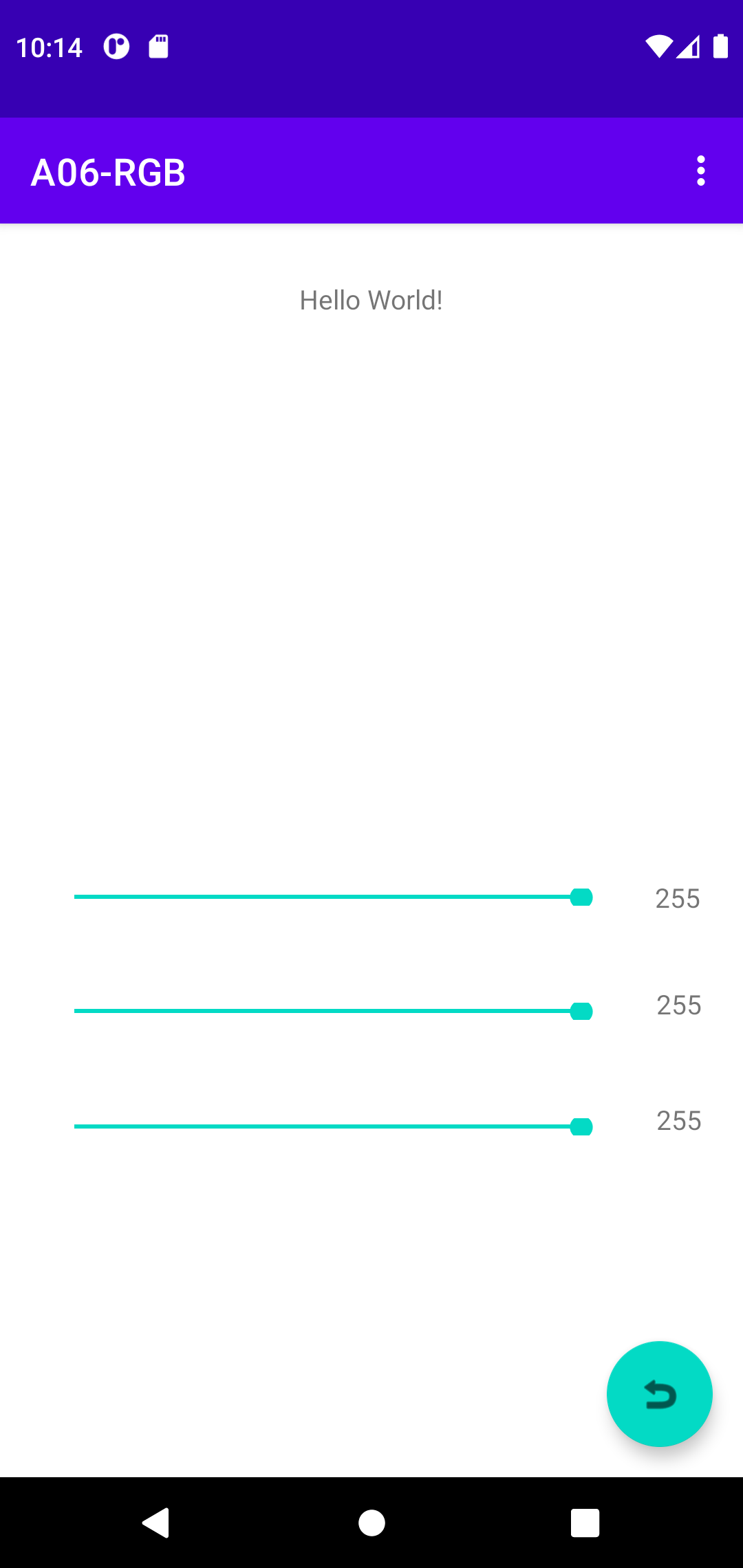
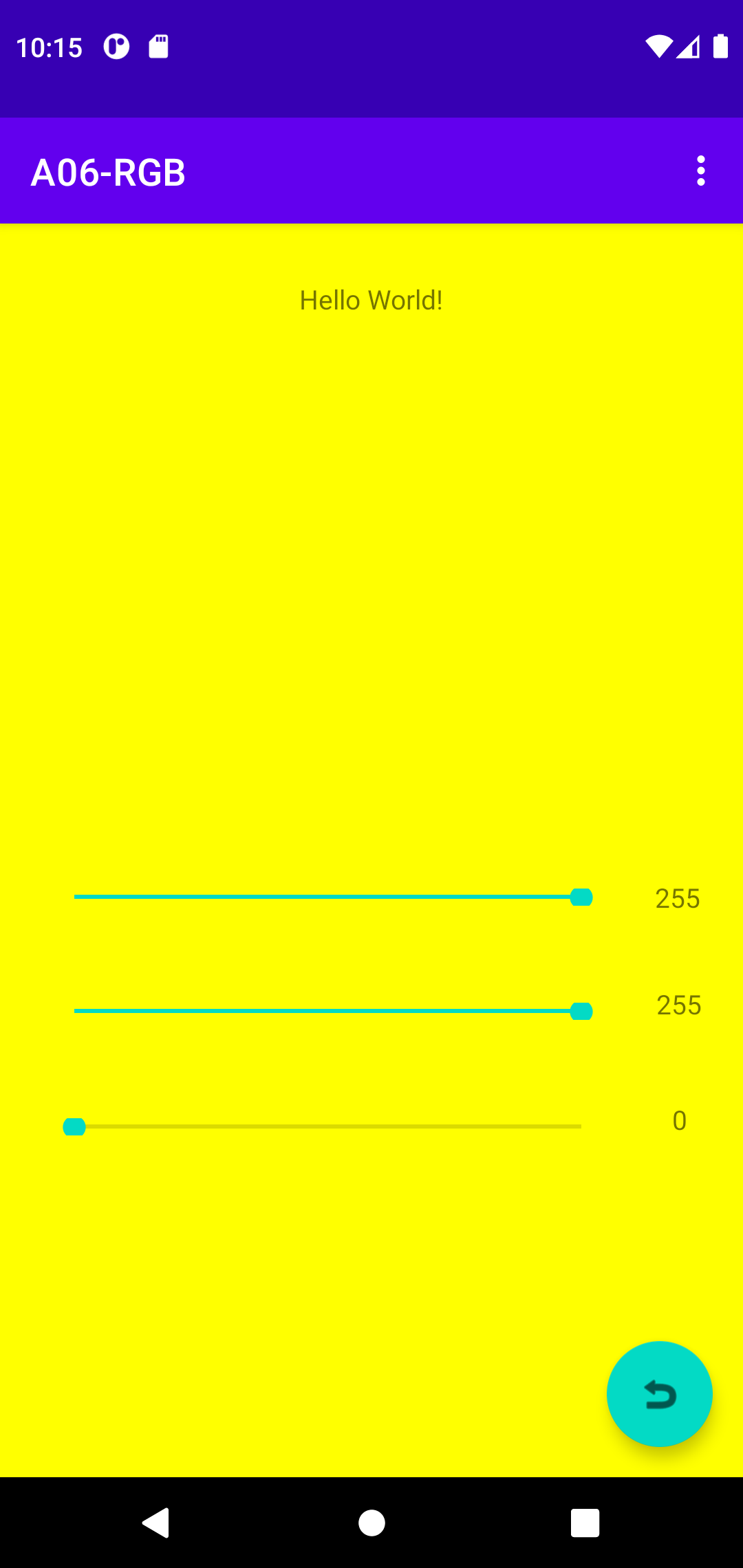
- A06-RGB
- Four TextView, Three SeekBars, FAB
- Three Seekbars change TextViews and compose background RGB color
- SeekBar sync with TextView
- FAB reset all
- Difficulity CheckList
- TextView, FAB click
- Seekbar + TextView Layout
- Background color set -- ver02
- Seekbar callback
- RGB color -- ver03
- ADD ON -- copy and rename from A04-BBMF ver01
- Rename Android Project, not easy since Android Stuido changes too much
- Google "android rename project", here, here, here
- Rename an Android Project
- Rename the root folder -> A06RGB
- setting.gradle -> rootProject.name = "A06-RGB" then 'Sync Now'
- app/build.gradle -> defaultConfig applicationID -> "a06_rgb" then 'Sync Now'
- res/values/strings.xml -> app_name -> "A06-RGB"
- res/themes/themes.xml -> Refactor name="Theme.A06RGB"
- AndroidManifest.xml -> package Refactor, change package -> a06_rgb
- If errors in Java, File->Sync Project with Gradle Files
- A06-RGB-ver01
Seekbar Callback
- A06-RGB-ver02
- Layout of Seekbar+TextView(x3)
- SeekBar binding
- active_main.xml
    <SeekBar
        android:id="@+id/seekBarGreen"
        android:layout_width="300dp"
        android:layout_height="9dp"
        android:max="255"
        android:progress="255"
        app:layout_constraintBottom_toBottomOf="parent"
        app:layout_constraintEnd_toEndOf="parent"
        app:layout_constraintHorizontal_bias="0.252"
        app:layout_constraintStart_toStartOf="parent"
        app:layout_constraintTop_toBottomOf="@+id/seekBarRed"
        app:layout_constraintVertical_bias="0.175" />

    <TextView
        android:id="@+id/textViewGreen"
        android:layout_width="wrap_content"
        android:layout_height="wrap_content"
        android:text="TextView"
        app:layout_constraintBottom_toBottomOf="parent"
        app:layout_constraintEnd_toEndOf="parent"
        app:layout_constraintHorizontal_bias="0.52"
        app:layout_constraintStart_toEndOf="@+id/seekBarGreen"
        app:layout_constraintTop_toBottomOf="@+id/seekBarRed"
        app:layout_constraintVertical_bias="0.149" />
- Remove binding.button code
        binding.textViewRed.setText("255");
        binding.textViewGreen.setText("255");
        binding.textViewBlue.setText("255");

        binding.floatingActionButton.setOnClickListener(new View.OnClickListener() {
            @Override
            public void onClick(View view) {
				//// HERE
                int rgb = 255;
                binding.seekBarRed.setProgress(rgb);
                binding.seekBarGreen.setProgress(rgb);
                binding.seekBarBlue.setProgress(rgb);

                binding.textViewRed.setText(""+rgb);
                binding.textViewGreen.setText(""+rgb);
                binding.textViewBlue.setText(""+rgb);
            }
        });
- A06-RGB-ver03
- Seekbar callback use #4
- RGB color
- Java -- slider callbacks (sliders to change a value) -- tutorial here
- Java -- 3 values to form RGB color value -- google "android seekbar rgb stackoverflow" --
stackoverflow discussion
package com.example.a06_rgb;

import androidx.appcompat.app.AppCompatActivity;

import android.graphics.Color;
import android.os.Bundle;

import com.example.a06_rgb.databinding.ActivityMainBinding;
import android.view.View;
import android.widget.SeekBar;
import android.view.Menu;
import android.view.MenuItem;

public class MainActivity extends AppCompatActivity implements SeekBar.OnSeekBarChangeListener {
    private ActivityMainBinding binding;
    ////HERE
    View rootView;
    @Override
    protected void onCreate(Bundle savedInstanceState) {
        super.onCreate(savedInstanceState);
        ////setContentView(R.layout.activity_main);

        binding = ActivityMainBinding.inflate(getLayoutInflater());
        setContentView(binding.getRoot());

        binding.textViewRed.setText("255");
        binding.textViewGreen.setText("255");
        binding.textViewBlue.setText("255");

        //// HERE
        rootView = getWindow().getDecorView();
        binding.seekBarRed.setOnSeekBarChangeListener(this);
        binding.seekBarGreen.setOnSeekBarChangeListener(this);
        binding.seekBarBlue.setOnSeekBarChangeListener(this);

        binding.floatingActionButton.setOnClickListener(new View.OnClickListener() {
            @Override
            public void onClick(View view) {
                //// HERE
                int rgb = 255;
                binding.seekBarRed.setProgress(rgb);
                binding.seekBarGreen.setProgress(rgb);
                binding.seekBarBlue.setProgress(rgb);

                binding.textViewRed.setText(""+rgb);
                binding.textViewGreen.setText(""+rgb);
                binding.textViewBlue.setText(""+rgb);

                //// HERE
                rootView.setBackgroundColor(Color.rgb(rgb, rgb, rgb));
            }
        });
    }

    @Override
    public boolean onCreateOptionsMenu(Menu menu) {
        getMenuInflater().inflate(R.menu.menu_main, menu);
        return true;
    }

    @Override
    public boolean onOptionsItemSelected(MenuItem menuItem) {
        ////Toast.makeText(this, "You chose : " + menuItem.getTitle(), Toast.LENGTH_SHORT).show();
        switch (menuItem.getItemId()) {
            case R.id.menu_first: binding.textview.setText("First Selected");
                return true;
            case R.id.menu_second: binding.textview.setText("Second Selected");
                return true;
            case R.id.menu_third: binding.textview.setText("Third Selected");
                return true;
            default:
                return super.onOptionsItemSelected(menuItem);
        }
    }
	//// HERE
    private int r=255, g=255, b=255;
    @Override
    public void onStopTrackingTouch(SeekBar seekBar) {
    }
    @Override
    public void onStartTrackingTouch(SeekBar seekBar) {
    }
    @Override
    public void onProgressChanged(SeekBar seekBar, int progress, boolean fromUser) {
        switch (seekBar.getId()) {
            case R.id.seekBarRed:
                r = progress;
                binding.textViewRed.setText(""+progress);
                break;
            case R.id.seekBarGreen:
                g = progress;
                binding.textViewGreen.setText(""+progress);
                break;
            case R.id.seekBarBlue:
                b = progress;
                binding.textViewBlue.setText(""+progress);
                break;
        }
        rootView.setBackgroundColor(Color.rgb(r, g, b));
    }
}
Tips of the Day
- Process of Creating an App
- Checkbox, Switch, SeekBar set and callback
- Rename a project
- One at a Time, Quick and Dirty then Improve
- Save as 'codebase'