done Create an Android App from Your A04-BBMF app easy Rename the app name to P01-FontCase to change the Title in display. Title only, which shown in the image as title "P01-FontCase". The app, folder, package, etc. remains the same. The app consists of 1 TextView, 1 EditText, 2 Buttons, FAB and Menu easy Menu has 3 items: Upper, Lower, Reset google When launched, textview has font size 32dp, has to be set in JAVA, not in XML When EditText content updates, also update the TextView, this can be done in one of 3 ways. You may assume the input is always valid. Update while typing => 2 extra credit By press return key => full credit NOW Or another button called "update" => 2 points deduction google When Upper button or menu item ToUpper selected, change TextView content to UpperCase letters When Lower button or menu item ToLower selected, change TextView content to LowerCase letters When FAB or menu item RESET is pressed, restore to original setting
done Create an Android App from Your A04-BBMF app
easy Rename the app name to P01-FontCase to change the Title in display. Title only, which shown in the image as title "P01-FontCase". The app, folder, package, etc. remains the same.
strings.xml
The app consists of 1 TextView, 1 EditText, 2 Buttons, FAB and Menu
add edittext, constraints
easy Menu has 3 items: Upper, Lower, Reset
string.xml
google When launched, textview has font size 32dp, has to be set in JAVA, not in XML
"android textview set font size" programmatically
https://android--examples.blogspot.com/2015/01/textview-font-size-in-android.html
tv7.setTextSize(TypedValue.COMPLEX_UNIT_SP,50);
When EditText content updates, also update the TextView, this can be done in one of 3 ways. You may assume the input is always valid.
Update while typing => 2 extra credit
By press return key => full credit
NOW Or another button called "update" => 2 points deduction
.getText() .setText()
google When Upper button or menu item ToUpper selected, change TextView content to UpperCase letters
"android textview text uppercase" programmatically
https://stackoverflow.com/questions/12159342/set-upper-case-for-textview/12159375
.toUpperCase()
When Lower button or menu item ToLower selected, change TextView content to LowerCase letters
When FAB or menu item RESET is pressed, restore to original setting
"android textview keyboard enter update"
https://stackoverflow.com/questions/1489852/android-handle-enter-in-an-edittext
edittext.setOnKeyListener(new OnKeyListener() {
public boolean onKey(View v, int keyCode, KeyEvent event) {
if ((event.getAction() == KeyEvent.ACTION_DOWN) &&
(keyCode == KeyEvent.KEYCODE_ENTER)) {
{
"coord":{"lon":-122.08,"lat":37.39},
"weather":[{
"id":800,"main":"Clear","description":"clear sky","icon":"01n"
}],
"base":"stations",
"main":{
"temp":285.53,"pressure":1019.3,"humidity":86,"temp_min":284.26,"temp_max":287.59
},
"wind":{
"speed":0.47,"deg":316.501
},
"rain":{},
"clouds":{"all":0},
"dt":1474723183,
"sys":{
"type":3,"id":1442728390,"message":0.0215,"country":"US","sunrise":1474725529,"sunset":1474768821
},
"id":5375480,
"name":"Mountain View",
"cod":200
}
{
"country":"US",
"state":"MI",
"city":"YPSILANTI"
}
import org.json.JSONException;
import org.json.JSONObject;
public class MainActivity extends AppCompatActivity {
private ActivityMainBinding binding;
final String json = "{\"country\":\"US\",\"state\":\"MI\",\"city\":\"YPSILANTI\"}";
@Override
protected void onCreate(Bundle savedInstanceState) {
...
binding.button.setOnClickListener(
...
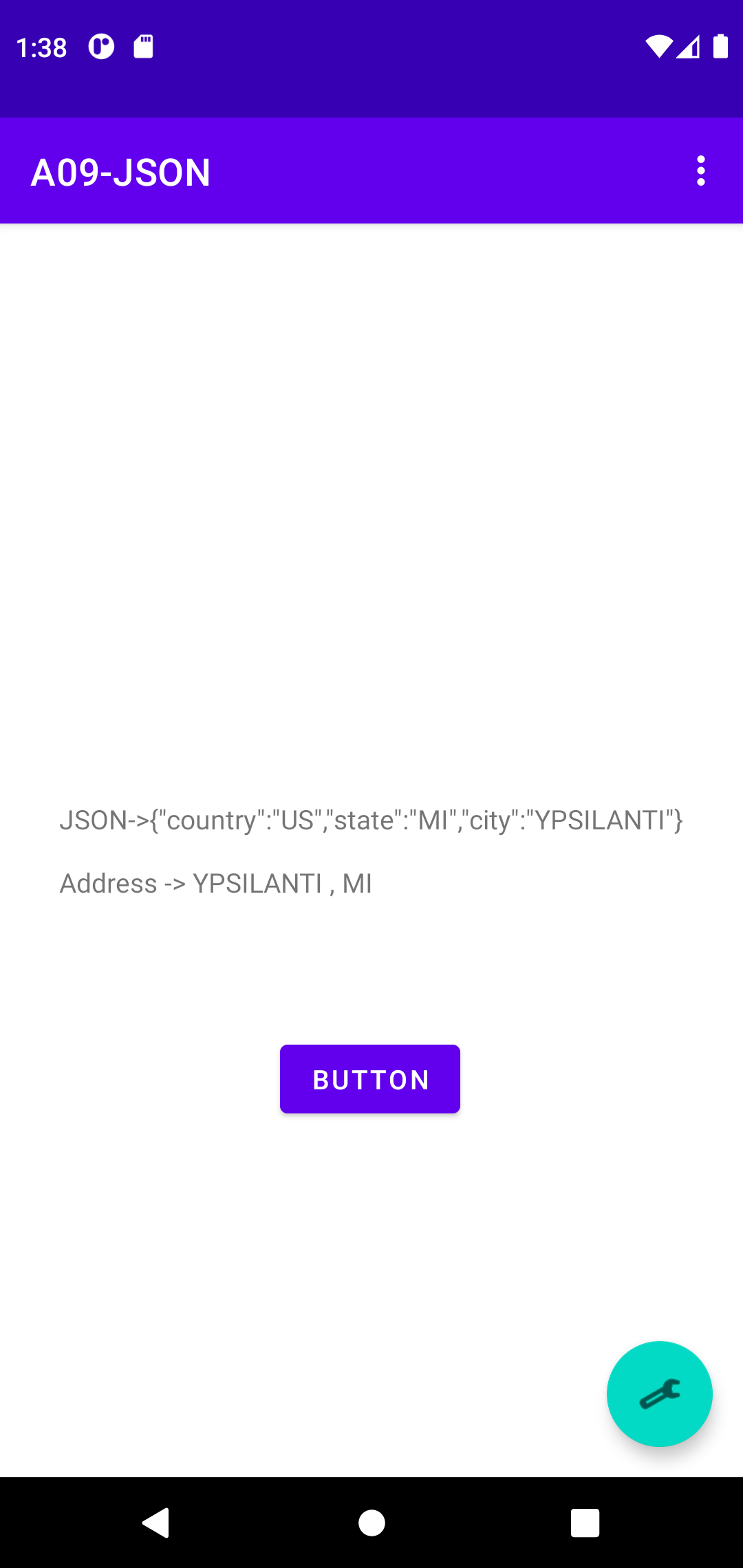
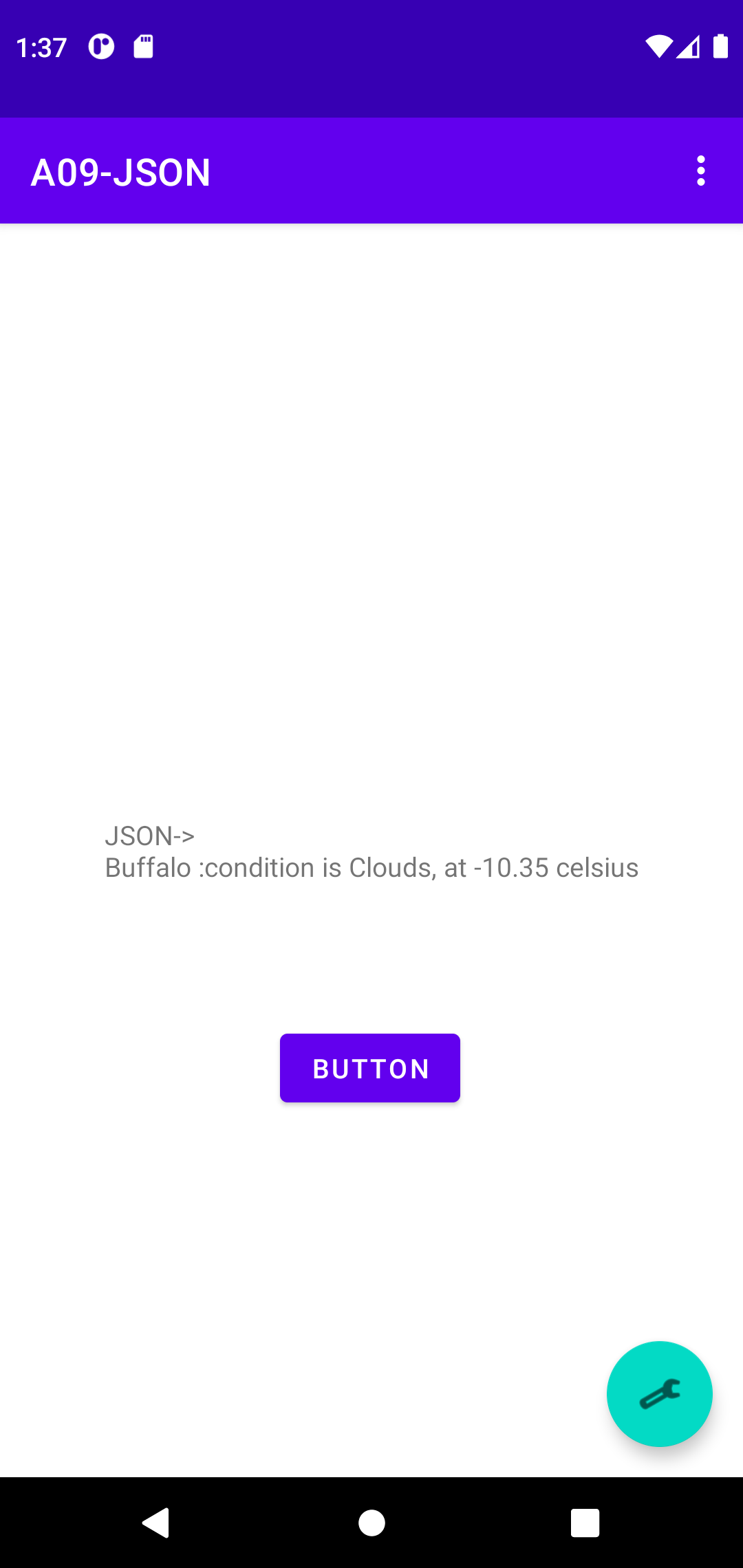
binding.textview.setText( "JSON->" + json + "\n\n" + parseJson(json) );
// http://ziptasticapi.com/48197
// {"country":"US","state":"MI","city":"YPSILANTI"}
private String parseJson(String input) {
String output = "Error parsing Json";
try {
JSONObject jsonRootObject = new JSONObject(input);
String city = jsonRootObject.optString("city").toString(); // Ypsilanti
String state = jsonRootObject.optString("state").toString(); // MI
output = "Address -> " + city + " , " + state;
} catch (JSONException e) {
e.printStackTrace();
}
return output;
}
import org.json.JSONArray;
import org.json.JSONException;
import org.json.JSONObject;
private ActivityMainBinding binding;
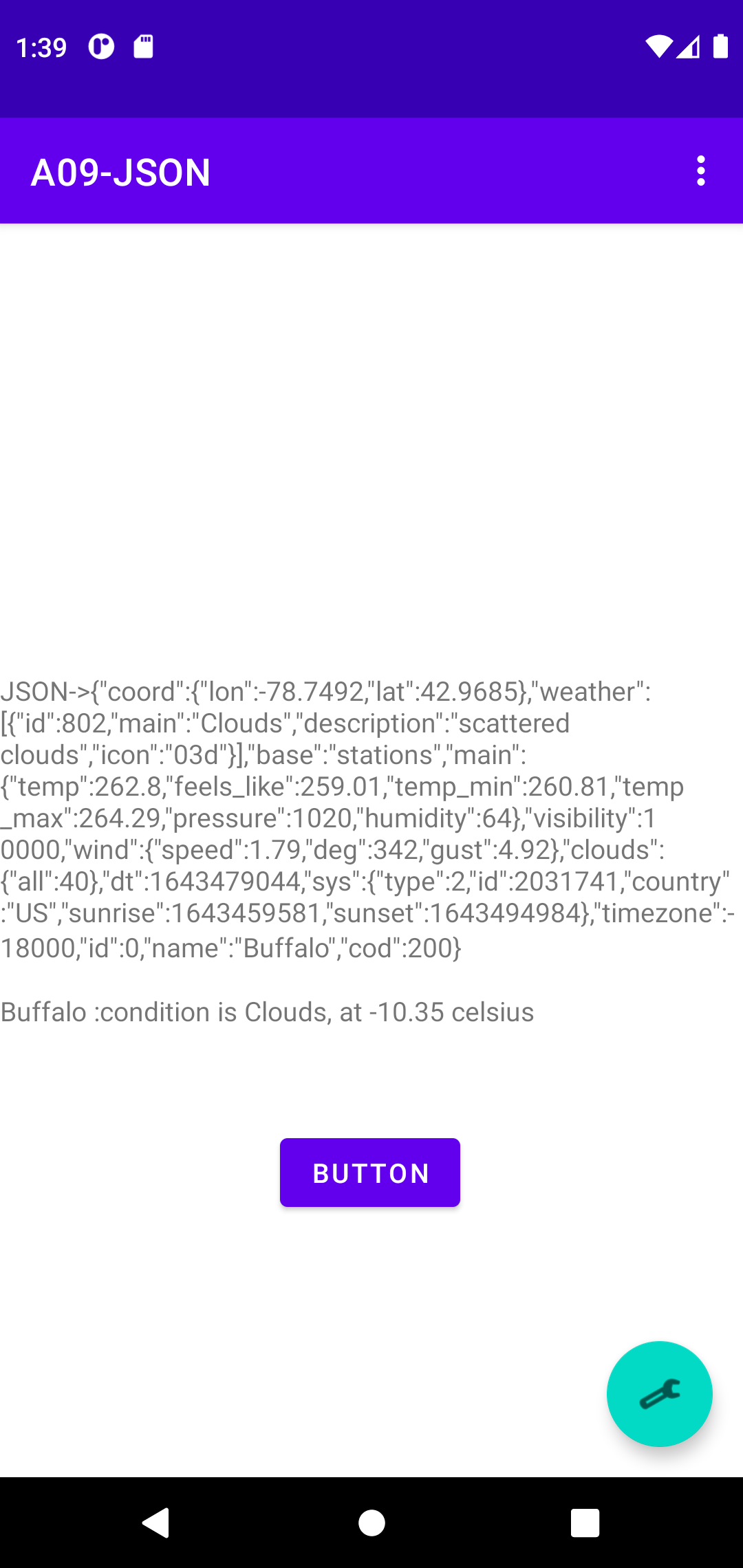
final String json = "{\"coord\":{\"lon\":-78.7492,\"lat\":42.9685},\"weather\":[{\"id\":802,\"main\":\"Clouds\",\"description\":\"scattered clouds\",\"icon\":\"03d\"}],\"base\":\"stations\",\"main\":{\"temp\":262.8,\"feels_like\":259.01,\"temp_min\":260.81,\"temp_max\":264.29,\"pressure\":1020,\"humidity\":64},\"visibility\":10000,\"wind\":{\"speed\":1.79,\"deg\":342,\"gust\":4.92},\"clouds\":{\"all\":40},\"dt\":1643479044,\"sys\":{\"type\":2,\"id\":2031741,\"country\":\"US\",\"sunrise\":1643459581,\"sunset\":1643494984},\"timezone\":-18000,\"id\":0,\"name\":\"Buffalo\",\"cod\":200}";
binding.button.setOnClickListener(
...
binding.textview.setText( "JSON->" + json + "\n\n" + parseJson(json) );
private String parseJson(String input) {
String output = "Error parsing Json";
try {
JSONObject jsonRootObject = new JSONObject(input);
JSONArray jsonWeatherArray = jsonRootObject.getJSONArray("weather");
String cond = ((JSONObject) jsonWeatherArray.getJSONObject(0)).getString("main");
JSONObject jsonMainObject = jsonRootObject.getJSONObject("main");
double temp = jsonMainObject.getDouble("temp");
String city = jsonRootObject.optString("name").toString();
output = city + " :condition is " + cond + ", at " + String.format( "%.2f", (temp-273.15)) + " celsius";
} catch (JSONException e) {
e.printStackTrace();
}
return output;
}
import org.json.simple.JSONArray;
import org.json.simple.JSONObject;
import org.json.simple.parser.JSONParser;
import org.json.simple.parser.ParseException;
private String parseJson(String input) {
//// HERE
// JSON Simple
// https://www.tutorialspoint.com/json_simple/json_simple_quick_guide.htm
// https://mkyong.com/java/json-simple-example-read-and-write-json/
// https://mkyong.com/java/json-simple-how-to-parse-json/
String output = "Error parsing Json";
JSONParser parser = new JSONParser();
try {
JSONObject jsonRootObject = (JSONObject) parser.parse(input);
JSONArray jsonWeatherArray = (JSONArray) jsonRootObject.get("weather");
String cond = ((JSONObject) jsonWeatherArray.get(0)).get("main").toString();
JSONObject jsonMainObject = (JSONObject) jsonRootObject.get("main");
double temp = Double.parseDouble(jsonMainObject.get("temp").toString());
String city = jsonRootObject.get("name").toString();
output = city + " :condition is " + cond + ", at " + String.format("%.2f", (temp - 273.15)) + " celsius";
} catch (ParseException e) {
e.printStackTrace();
}
return output;
}
import java.io.BufferedReader;
import java.io.IOException;
import java.io.InputStream;
import java.io.InputStreamReader;
binding.button.setOnClickListener(
...
// https://www.tutorialspoint.com/how-to-read-a-simple-text-file-in-android-app
InputStream is = getResources().openRawResource(R.raw.weather);
BufferedReader reader = new BufferedReader(new InputStreamReader(is));
binding.textview.setText( "JSON->\n" + parseJson(reader) );
////binding.textview.setText( "JSON->" + json + "\n\n" + parseJson(json) );
}
});
private String parseJson(BufferedReader reader) {
String output = "Error parsing Json";
JSONParser parser = new JSONParser();
try {
////JSONObject jsonRootObject = (JSONObject) parser.parse(input);
JSONObject jsonRootObject = (JSONObject) parser.parse(reader);
JSONArray jsonWeatherArray = (JSONArray) jsonRootObject.get("weather");
String cond = ((JSONObject) jsonWeatherArray.get(0)).get("main").toString();
JSONObject jsonMainObject = (JSONObject) jsonRootObject.get("main");
double temp = Double.parseDouble(jsonMainObject.get("temp").toString());
String city = jsonRootObject.get("name").toString();
output = city + " :condition is " + cond + ", at " + String.format( "%.2f", (temp-273.15)) + " celsius";
} catch (ParseException e) {
e.printStackTrace();
}
catch (IOException e) {
e.printStackTrace();
}
return output;
}