Until recently, Google did not recommend a specific approach ... That changed in 2017 ...
... this chapter is to introduce the key architectural guidelines together with the ViewModel, LiveData, Lifecycle components while also introducing Data Binding and the use of Repositories.
Android project was created consisting of a single activity which contained all of the code for presenting and managing the user interface together with the back-end logic of the app. Up until the introduction of Jetpack, ... apps consisting of multiple activities (one for each screen within the app) with each activity class to some degree mixing user interface and back-end code.
At the most basic level, Google now advocates single activity apps where different screens are loaded as content within the same activity.
The purpose of ViewModel is to separate the user interface-related data model and logic of an app from the code responsible for actually displaying and managing the user interface and interacting with the operating system. Recall Model-View-Controller (MVC)
Consider an app that displays realtime data .... LiveData is a data holder that allows a value to become observable ... Recall Polling vs. Interrupt
Android allows the user to place an active app into the background and return to it later ...
allows data in a ViewModel to be mapped directly to specific views within the XML user interface layout file. automatically update the view whenever there is any change in data.
If a ViewModel obtains data from one or more external sources (such as databases or web services) it is important to separate the code involved in handling those data sources from the ViewModel class. Modern Android App Architecture with Jetpack Google’s architecture guidelines recommend placing this code in a separate Repository module.
Prior to the introduction of Android Jetpack, the implementation of navigation within an app was largely a manual coding process with no easy way to view and organize potentially complex navigation paths. This situation has improved considerably,??? ...
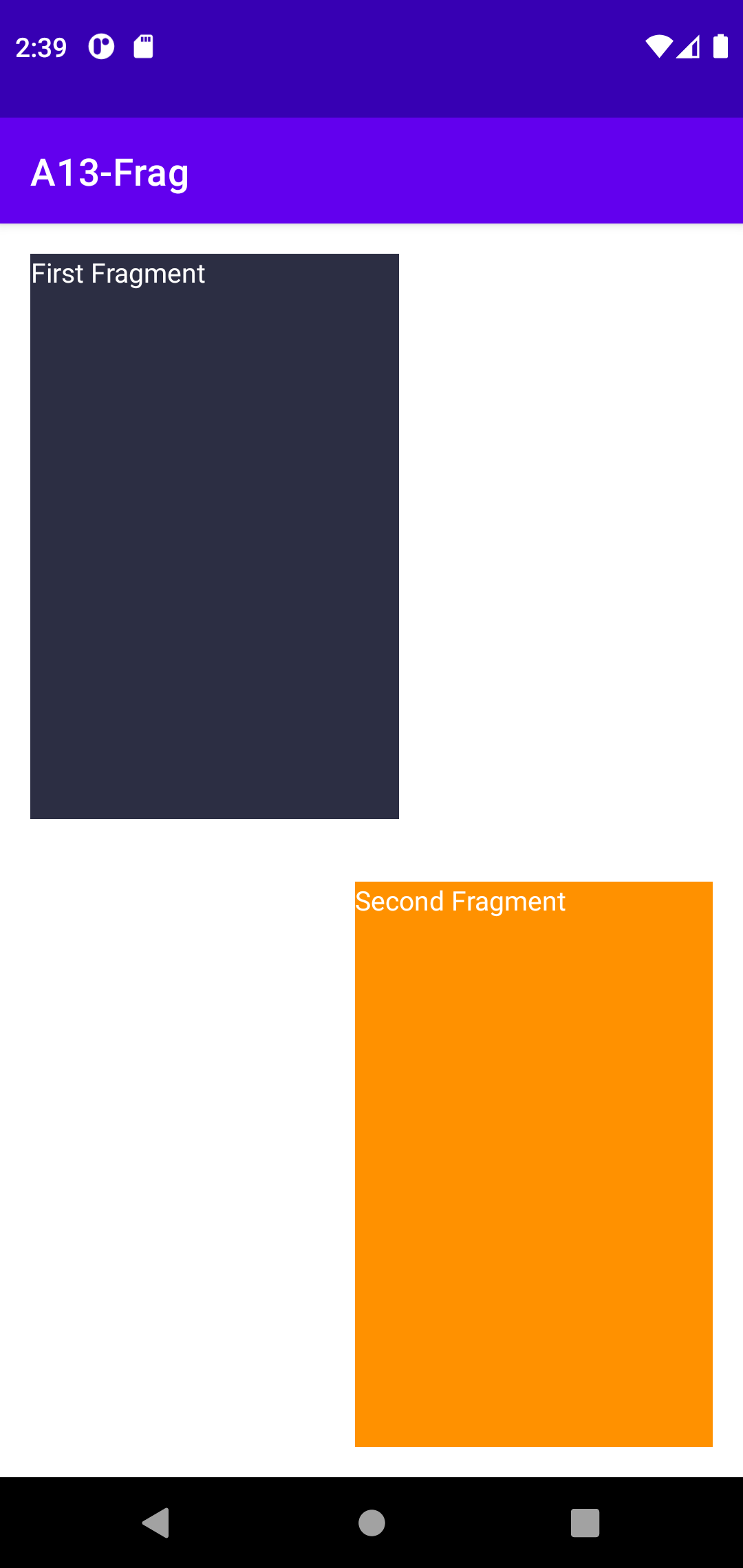
A fragment is a self-contained, modular section of an application’s user interface and corresponding behavior that can be embedded within an activity. Fragments may only be used as part of an activity and cannot be instantiated as standalone application elements. Fragment is a 'lightweight' activity Recall Process vs. Thread
import android.app.Fragment;
import android.os.Bundle;
import android.view.LayoutInflater;
import android.view.View;
import android.view.ViewGroup;
public class FragmentOne extends Fragment {
@Override
public View onCreateView(LayoutInflater inflater, ViewGroup container,
Bundle savedInstanceState) {
return inflater.inflate(R.layout.fragment_one, container, false);
}
}
<LinearLayout xmlns:android="http://schemas.android.com/apk/res/android"
android:layout_width="match_parent"
android:layout_height="match_parent"
android:orientation="vertical"
android:background="#2c2e43" >
<TextView
android:id="@+id/textViewOne"
android:layout_width="wrap_content"
android:layout_height="wrap_content"
android:textColor="#FFFFFF"
android:gravity="center_horizontal"
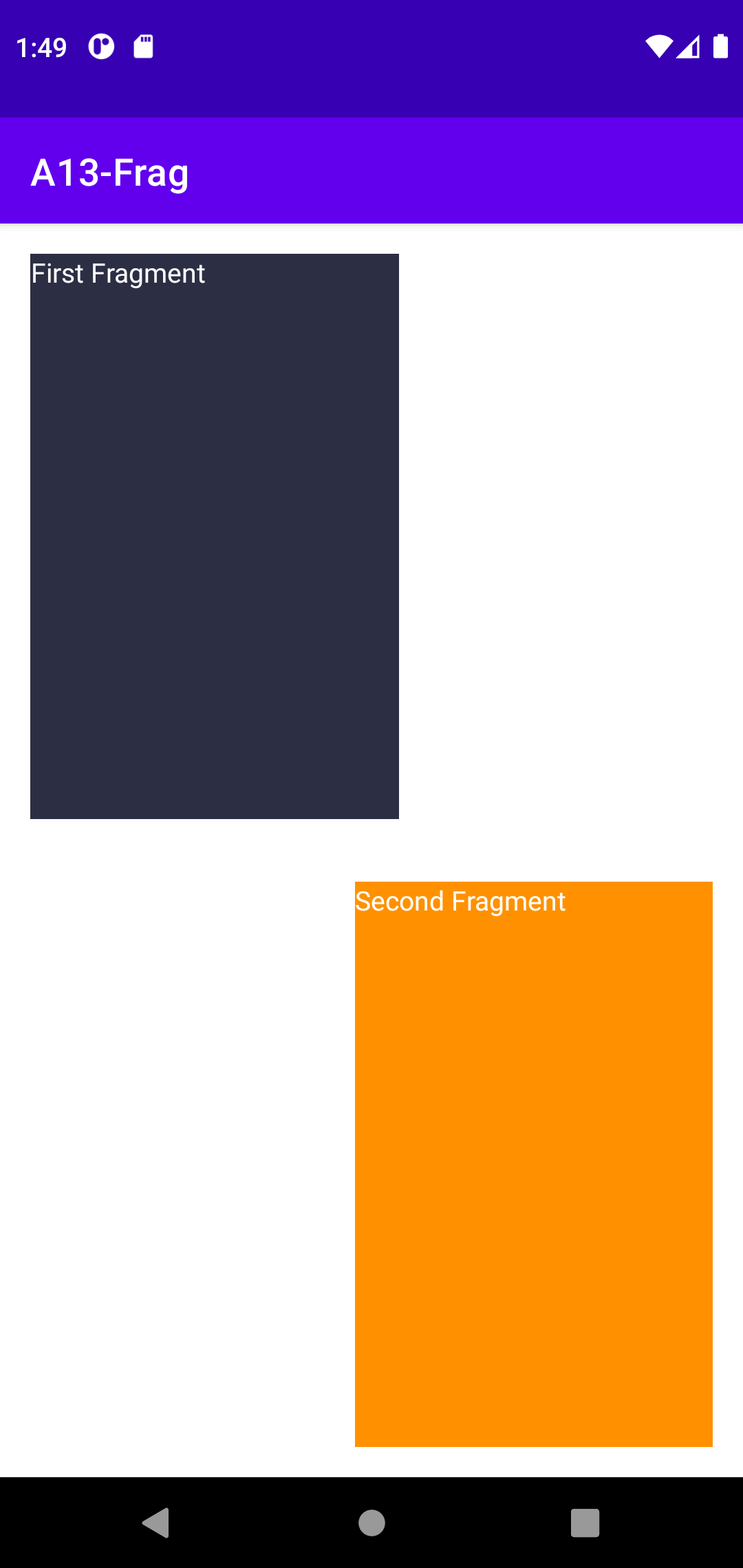
android:text="First Fragment" />
</LinearLayout>
<androidx.constraintlayout.widget.ConstraintLayout xmlns:android="http://schemas.android.com/apk/res/android"
xmlns:app="http://schemas.android.com/apk/res-auto"
xmlns:tools="http://schemas.android.com/tools"
android:layout_width="match_parent"
android:layout_height="match_parent"
tools:context=".MainActivity">
<fragment
android:id="@+id/fragment1"
android:name="com.example.a13_frag.FragmentOne"
android:layout_width="195dp"
android:layout_height="0dp"
android:layout_marginStart="16dp"
android:layout_marginTop="16dp"
android:layout_marginBottom="33dp"
app:layout_constraintBottom_toTopOf="@+id/fragment2"
app:layout_constraintStart_toStartOf="parent"
app:layout_constraintTop_toTopOf="parent" />
<fragment
android:id="@+id/fragment2"
android:name="com.example.a13_frag.FragmentTwo"
android:layout_width="189dp"
android:layout_height="0dp"
android:layout_marginEnd="16dp"
android:layout_marginBottom="16dp"
app:layout_constraintBottom_toBottomOf="parent"
app:layout_constraintEnd_toEndOf="parent"
app:layout_constraintTop_toBottomOf="@+id/fragment1" />
</androidx.constraintlayout.widget.ConstraintLayout>
<androidx.constraintlayout.widget.ConstraintLayout xmlns:android="http://schemas.android.com/apk/res/android"
xmlns:app="http://schemas.android.com/apk/res-auto"
xmlns:tools="http://schemas.android.com/tools"
android:layout_width="match_parent"
android:layout_height="match_parent"
tools:context=".MainActivity">
<FrameLayout
android:id="@+id/fragment1"
android:layout_width="195dp"
android:layout_height="0dp"
android:layout_marginStart="16dp"
android:layout_marginTop="16dp"
android:layout_marginBottom="33dp"
app:layout_constraintBottom_toTopOf="@+id/fragment2"
app:layout_constraintStart_toStartOf="parent"
app:layout_constraintTop_toTopOf="parent" />
<FrameLayout
android:id="@+id/fragment2"
android:layout_width="189dp"
android:layout_height="0dp"
android:layout_marginEnd="16dp"
android:layout_marginBottom="16dp"
app:layout_constraintBottom_toBottomOf="parent"
app:layout_constraintEnd_toEndOf="parent"
app:layout_constraintTop_toBottomOf="@+id/fragment1" />
</androidx.constraintlayout.widget.ConstraintLayout>
import androidx.fragment.app.Fragment;
public class MainActivity extends AppCompatActivity {
@Override
protected void onCreate(Bundle savedInstanceState) {
super.onCreate(savedInstanceState);
setContentView(R.layout.activity_main);
//FragmentTransaction ft = getSupportFragmentManager().beginTransaction();
//ft.replace(R.id.fragment1, new FragmentOne());
//ft.commit();
loadFragment(this, R.id.fragment1,new FragmentOne(),"fragment1");
loadFragment(this, R.id.fragment2,new FragmentTwo(),"fragment2");
}
// HERE
public static void loadFragment(AppCompatActivity activity, int containerId, Fragment fragment, String tag) {
activity.getSupportFragmentManager().beginTransaction().
replace(containerId, fragment,tag).commitAllowingStateLoss();
}
}
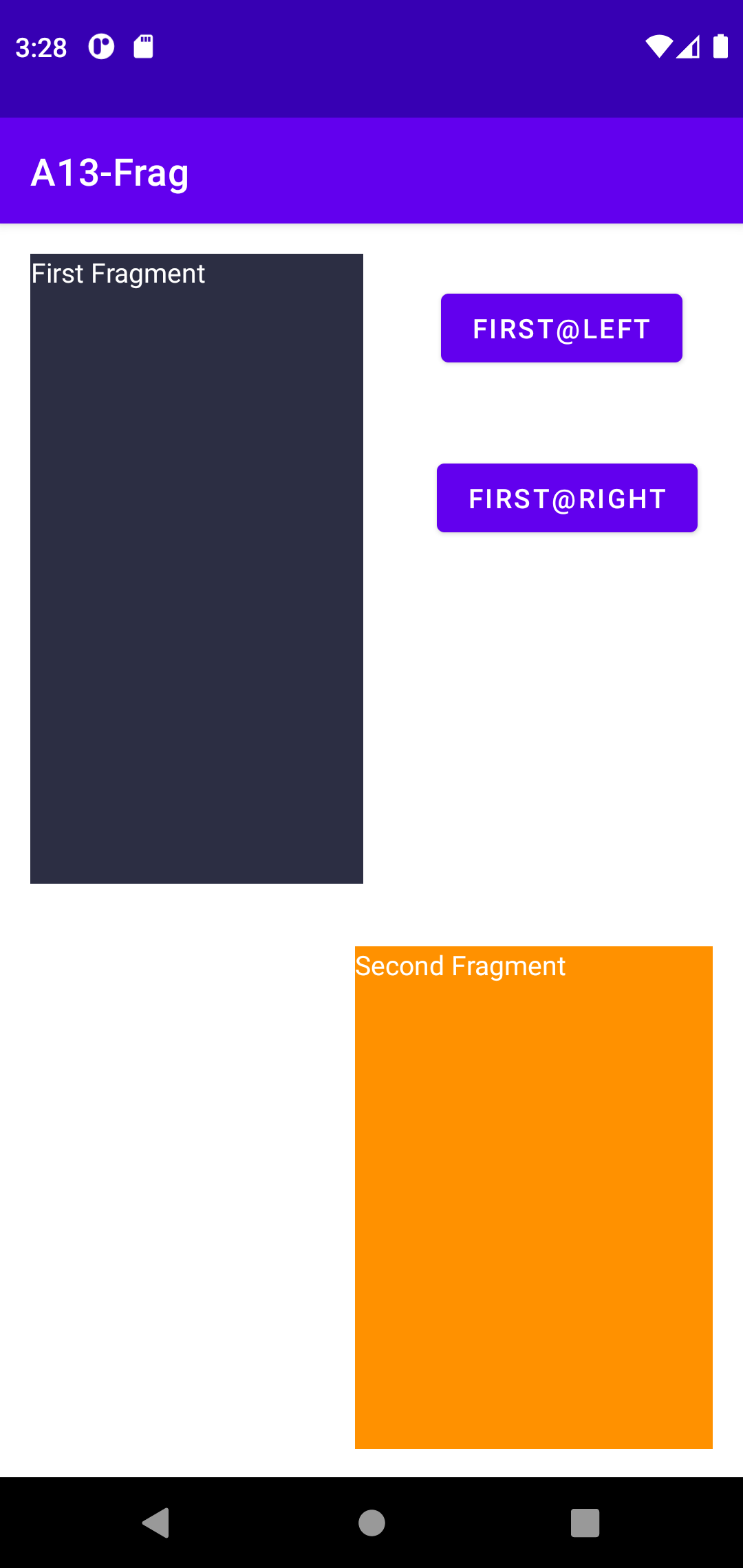
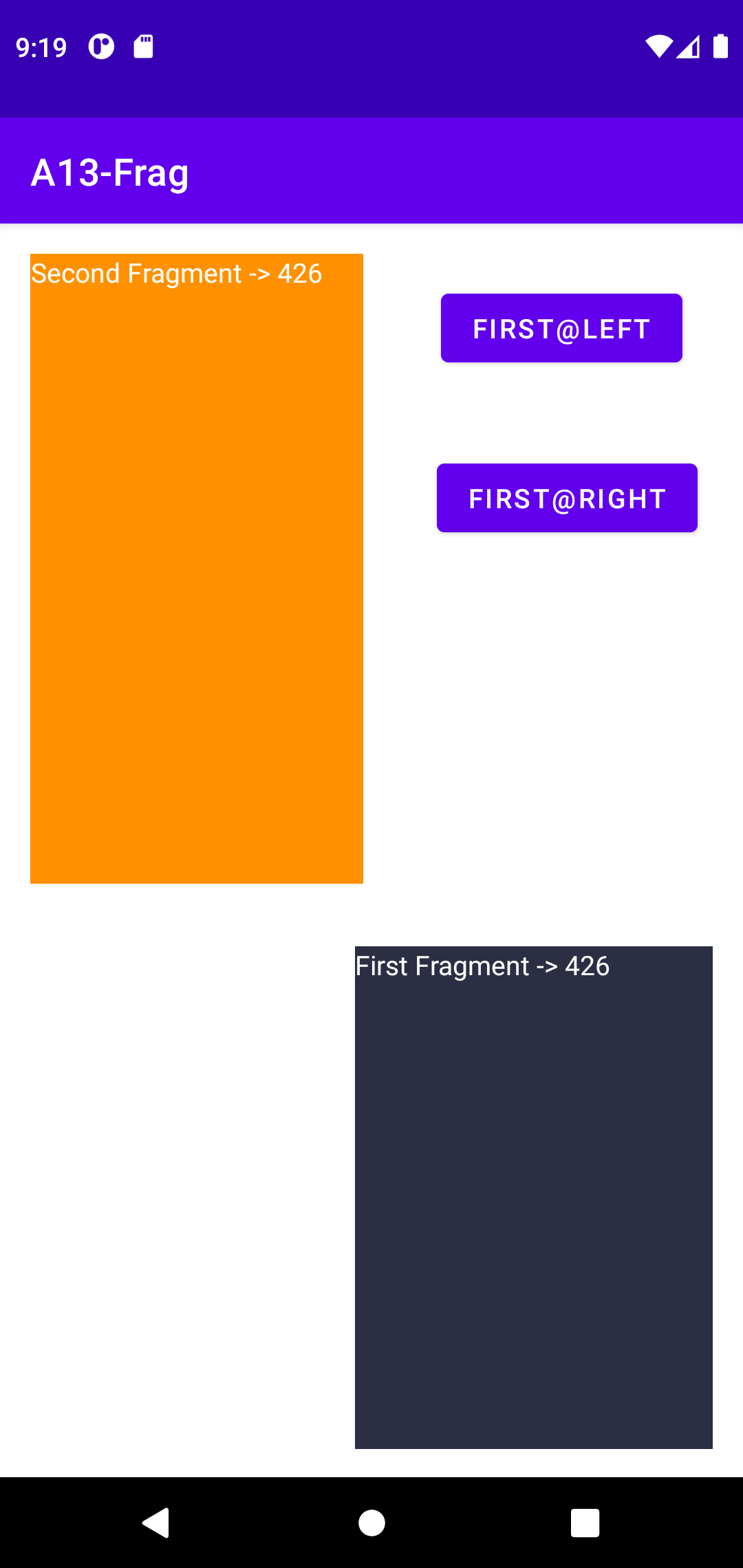
android:id="@+id/buttonLeft" android:text="First@Left" ... android:id="@+id/buttonRight" android:text="First@Right"
public class MainActivity extends AppCompatActivity {
FragmentOne frag01;
FragmentTwo frag02;
@Override
protected void onCreate(Bundle savedInstanceState) {
super.onCreate(savedInstanceState);
setContentView(R.layout.activity_main);
frag01 = new FragmentOne();
frag02 = new FragmentTwo();
loadFragment(this, R.id.fragment1,frag01,"fragment1");
loadFragment(this, R.id.fragment2,frag02,"fragment2");
Button leftButton = (Button) findViewById(R.id.buttonLeft);
leftButton.setOnClickListener(new View.OnClickListener() {
@Override
public void onClick(View v) {
FragmentManager fm = getSupportFragmentManager();
fm.beginTransaction().remove(frag01).commit();
fm.beginTransaction().remove(frag02).commit();
fm.executePendingTransactions();
loadFragment(MainActivity.this, R.id.fragment1,frag01,"fragment1");
loadFragment(MainActivity.this, R.id.fragment2,frag02,"fragment2");
}
});
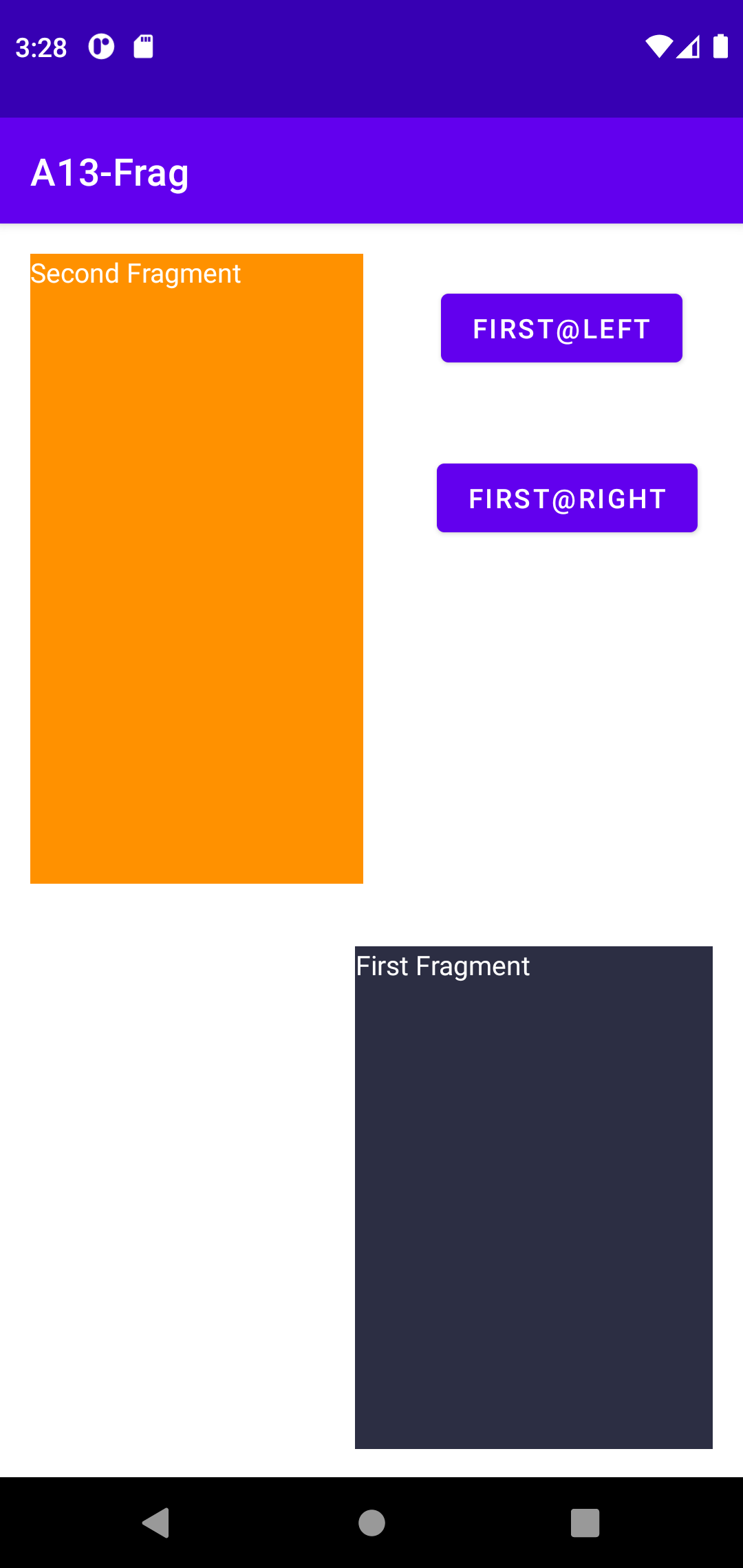
Button rightButton = (Button) findViewById(R.id.buttonRight);
rightButton.setOnClickListener(new View.OnClickListener() {
@Override
public void onClick(View v) {
FragmentManager fm = getSupportFragmentManager();
FragmentTransaction ft = fm.beginTransaction();
ft.remove(frag02);
ft.commit();
fm.beginTransaction().remove(frag01).commit();
fm.executePendingTransactions();
loadFragment(MainActivity.this, R.id.fragment1,frag02,"fragment2");
loadFragment(MainActivity.this, R.id.fragment2,frag01,"fragment1");
}
});
}
...
}
...
public static void loadFragment(AppCompatActivity activity, int containerId, Fragment fragment,
String tag, int ID) {
//HERE
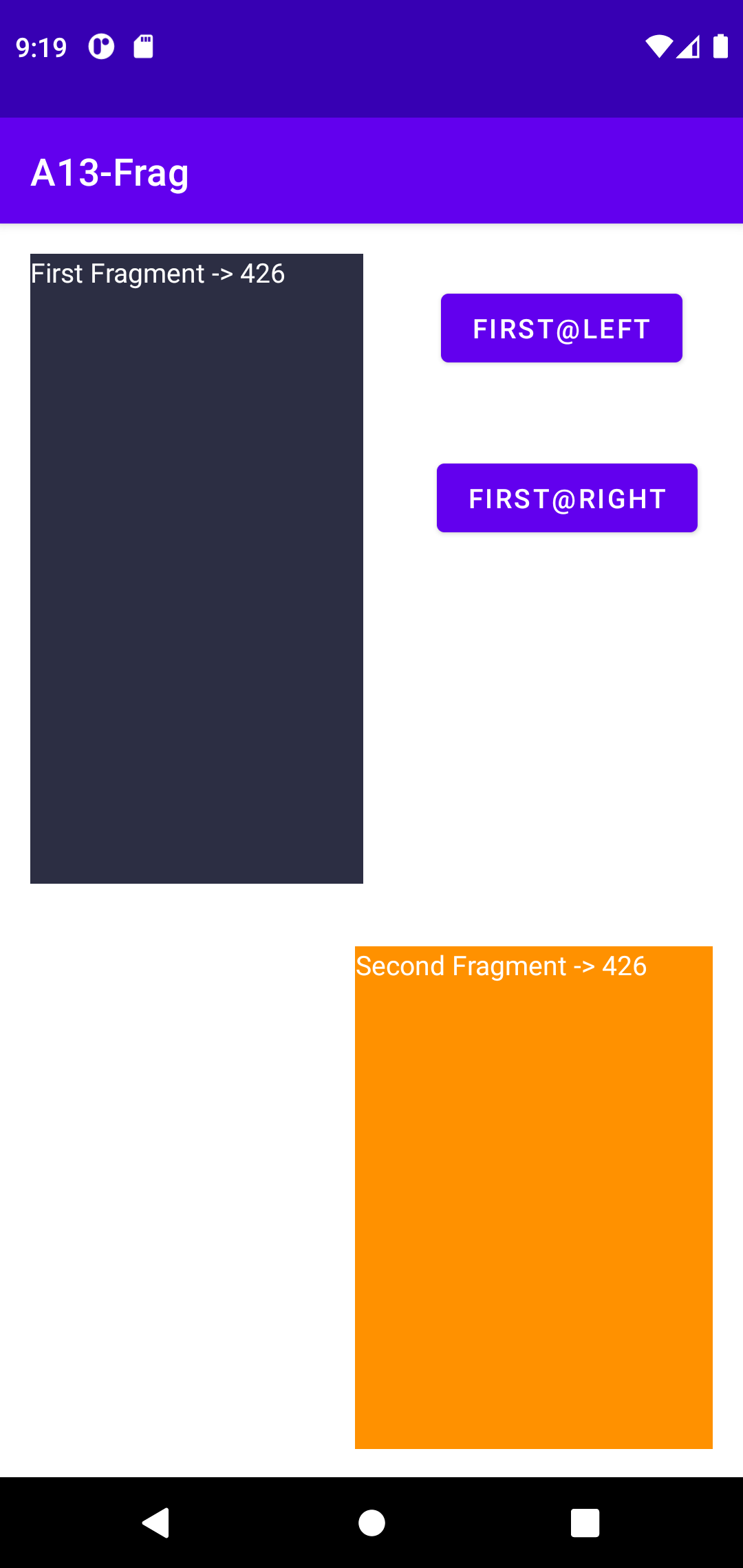
final int ARG = 426;
Bundle bundle = new Bundle();
bundle.putInt("IntArg", ARG);
fragment.setArguments(bundle);
activity.getSupportFragmentManager().beginTransaction().
replace(containerId, fragment,tag).commitAllowingStateLoss();
}
}
public class FragmentOne extends Fragment {
int intarg = -1;
@Override
public void onCreate(Bundle savedInstanceState) {
super.onCreate(savedInstanceState);
Bundle bundle = this.getArguments();
if (bundle != null) {
intarg = bundle.getInt("IntArg", 0);
}
}
@Override
public View onCreateView(LayoutInflater inflater, ViewGroup container,
Bundle savedInstanceState) {
View v = inflater.inflate(R.layout.fragment_one, container, false);
TextView tv = (TextView) v.findViewById(R.id.textViewOne);
tv.setText("First Fragment -> " + intarg);
return v;
}
}
almost the same as FragmentOne.java
The important thing to keep in mind is that fragments should not directly communicate with each other and should generally only communicate with their parent activity. You don't want the Fragments talking directly to each other or to the Activity. That ties them to a particular Activity and makes reuse difficult. The solution is to make an callback listener interface that the Activity will implement. When the Fragment wants to send a message to another Fragment or its parent activity, it can do it through the interface. It is ok for the Activity to communicate directly to its child fragment public methods. Thus the Activity serves as the controller, passing messages from one fragment to another.
At the most basic level, Google now advocates single activity apps where different screens are loaded as content within the same activity.
...
holder.itemView.setOnClickListener(new View.OnClickListener() {
@Override
public void onClick(View view) {
Intent lv_it = new Intent(cv_activity, MyListDetailsActivity.class);
lv_it.putExtra("OSName",
(String) mv_data02.get(holder.getAdapterPosition()).toString());
cv_activity.startActivity(lv_it);
cv_activity.overridePendingTransition(R.anim.anim_slide_in_left, R.anim.anim_slide_out_left);
}
});
...